


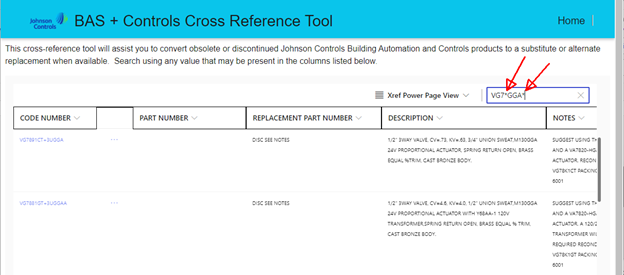
The new public facing Johnson controls cross reference tool, or XREF, has improved search options. This document will explain how to use them. You can now use multiple wildcards ABC*XYZ*. See the example search below for all VG7000 valves that have a 24v power and a 0-10vdc signal actuator: “ VG7*GGA* ”
Note 1: This Tool is manually maintained and updated periodically and may not reflect real time product status.
Note 2: This tool provides cross reference guidance only; final verification of status, authorization, and orderability must be completed through Sales, Product Support, or official ordering systems.
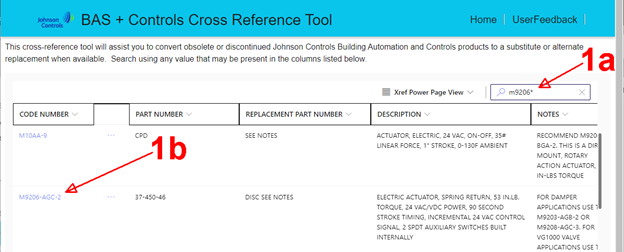
1a – Enter the part number you need to find a replacement for.
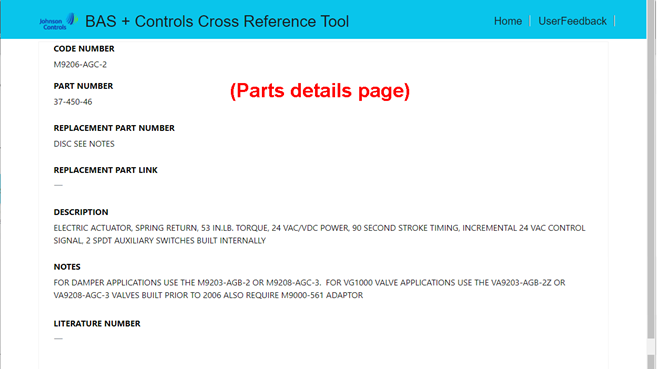
1b - If you see your item listed below the search, click the link with your part number to see the item’s details and suggested replacement if available.
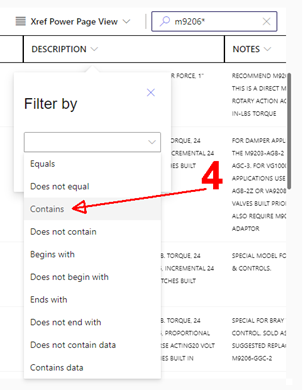
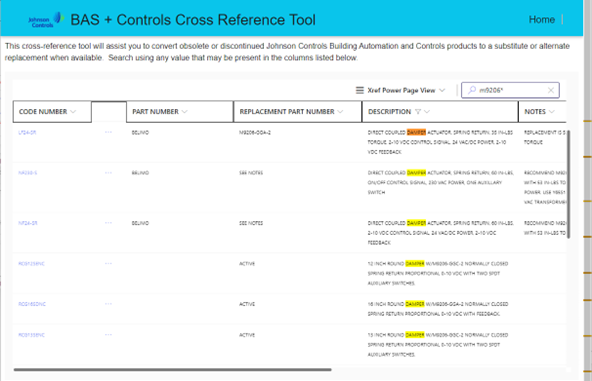
But wait, there’s more. You can now do excel style searches on each individual column, such as [Description: Contains “Damper”] to get all the entries that match the partial part number entered in the primary search field AND contain the word you searched for in the column filter. See example below.
If needed, you can leave the primary search field blank and search ALL records using just the column filters. You may need to narrow it down a little with a partial search to get the record count below 5000 before searching the individual columns.
If there are multiple pages of results, or you want to refine your search results.
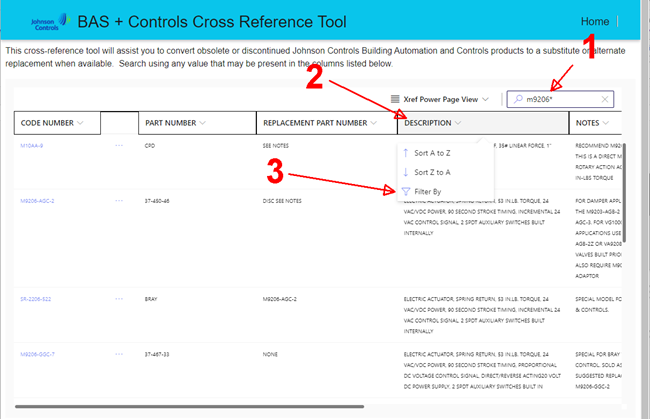
1 – Enter the part number you need to find a replacement for.
2 – Click on the column header you want to filter with.
3 – Click “Filter by”.
4 - Select “Contains” from the drop list of filters. (You can also use other filters like “Does not contain”)
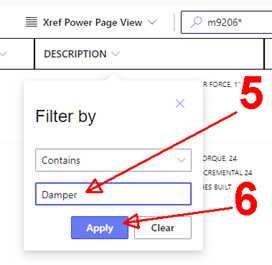
5 – Enter the word or phrase you want to filter for.
6 – Click “Apply.”
The result: all dampers that used the M9206 ___ actuators:
You can combine multiple column filters to narrow the results down further.